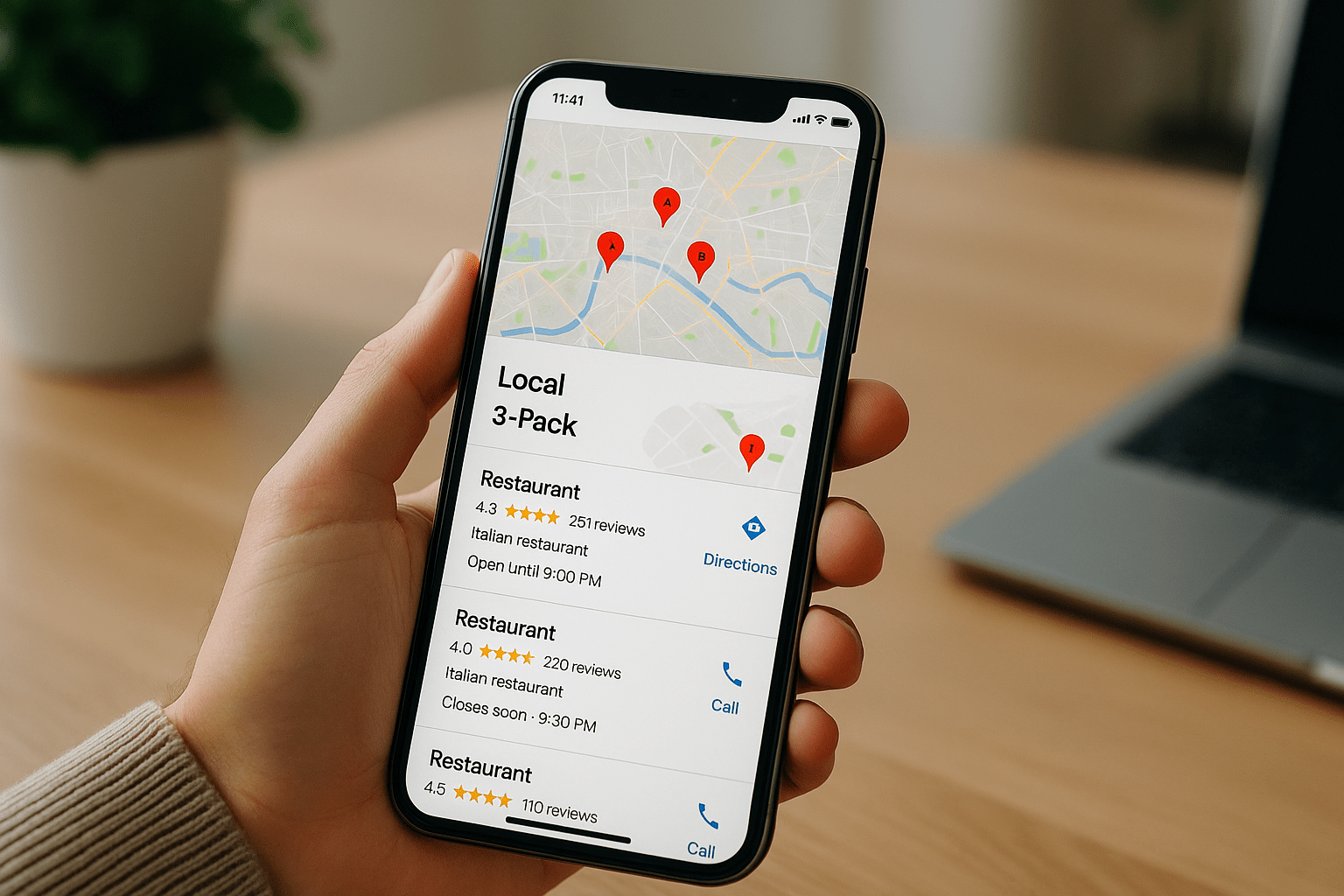

A strong Google Map Pack ranking means your business shows up in the block of three local listings that sits above the organic results, usually with a map, star ratings and a call button. For most service businesses, those three slots collect the majority of clicks on a local search, which is why the fight for them is so competitive. This guide covers how the ranking actually works, how to measure it honestly, and what to fix first.
What Is the Google Map Pack (or 3-Pack)?
The Google Map Pack is the local results module Google shows for searches with local intent, like “emergency plumber” or “criminal defense lawyer near me.” It displays three business listings pulled from Google Business Profile data, plus a “More places” link that opens the full Google Maps results. The 3-pack label just refers to the number of listings shown before you have to click through.
These listings are not ranked the same way as blue-link results. They draw on your Google Business Profile, review signals, category settings, and the searcher’s physical location at the moment they type. That last factor is the one most business owners underestimate.
How Google Decides the Local 3-Pack Order
Google publicly names three ranking factors for local results in its local search help documentation: relevance, distance and prominence. Each one behaves differently in practice.
- Relevance: how well your primary category, services, and profile content match what someone searched. A “General Contractor” category will struggle to rank for “bathroom remodeler” queries against a business categorized correctly.
- Distance: the gap between the searcher and your verified address or service area centroid. This is why you can rank first from your office and be invisible four miles away.
- Prominence: review volume and rating, brand mentions, links, citations, and how well your website ranks organically for the same terms.
Relevance and prominence are the parts you control. Distance is fixed unless you open another location, which is why the smarter goal is expanding the geographic area where you already rank rather than chasing a single number.
The Gap Most Guides Miss: Your Ranking Is a Grid, Not a Number
Ask ten local businesses where they rank in the map pack and most will quote one position from one search on one phone. That number is close to meaningless. Local rank changes block by block, and a business can hold position 1 within a half-mile radius and drop to position 12 at the edge of its service area.
Grid-based tracking solves this. Tools like Local Falcon, BrightLocal’s geo-grid, or Places Scout run the same query from dozens of simulated coordinates and return a heat map. Instead of “we rank 4th,” you get something useful: average rank across the grid, plus the exact neighborhoods where you fall off page one.
We usually recommend tracking a 5×5 or 7×7 grid spanning your realistic drive radius, checked monthly for three to five priority keywords. Watch average map rank and share of local voice over time, because those two metrics tell you whether your visibility footprint is actually growing.
Seven Steps to Improve Your Google Map Pack Ranking
- Claim and fully complete your Google Business Profile. Profiles with every field filled (hours, services, attributes, description, service areas, products) tend to outperform sparse ones. Our Google Business Profile optimization playbook walks through each section in order.
- Get your primary category right. Pick the single category that matches your highest-value service, then add secondary categories for the rest. Changing a primary category can shift rankings within days, for better or worse, so test deliberately.
- Build review velocity, not just review volume. A steady flow of five to fifteen new reviews per month beats 300 reviews that all arrived in 2022. BrightLocal’s consumer research consistently finds that recency matters to buyers as much as star rating.
- Answer reviews and Q&A. Owner responses give Google fresh text tied to your profile, and seeded Q&A entries let you address common objections before the phone rings.
- Fix your location pages. Every city you want to rank in should have a real page with unique copy, embedded map, local project photos and internal links, not a template with the city name swapped out.
- Clean up citations and NAP consistency. Duplicate listings, old suite numbers, and mismatched phone numbers dilute prominence signals. Audit the big aggregators plus your industry directories.
- Add photos and posts on a schedule. Geotagged job photos uploaded weekly correlate with better engagement, and engagement (calls, direction requests, website clicks) feeds back into how Google reads demand for your listing.
Why Click-Through Rate Belongs in the Conversation
Ranking third and getting chosen is better than ranking first and getting skipped. Photos, review snippets, service lists and “Open now” status all influence whether a searcher taps your listing over the two around it. If your calls are flat while impressions climb, the problem is presentation, and our guide on improving local SEO click-through rate covers the specific fields worth rewriting.
Map Pack Ads and Paid Placement
Google sells promoted pins and Local Services Ads that appear above or inside local results, which means the three organic slots are sometimes pushed further down. For legal, home services, HVAC and similar high-ticket categories, Local Services Ads with the Google Screened or Google Guaranteed badge often occupy the space before the map pack even loads.
Paid placement does not improve your organic local rank, but it can hold volume while your profile and content mature over the six to twelve months organic local SEO typically takes. If you are weighing budget, this comparison of local SEO and Google Ads lays out which one to fund first.
Free and Paid Ways to Check Your Rankings
You have more free options than most people realize, though each has limits.
- Google Business Profile performance reports: shows searches, calls, direction requests and the queries people used, free but no positional data.
- Incognito plus manual location change: set a location in Chrome DevTools to spot-check a specific neighborhood, tedious but free and accurate.
- Local Falcon, BrightLocal, Whitespark: paid geo-grid tools starting around $20 to $60 per month for small businesses.
- Free grid scans: most rank-tracking vendors offer a limited trial scan, which is enough to see whether your visibility problem is competitive or geographic.
Whatever you use, run scans at the same time of day and from the same grid so the numbers are comparable month over month.
How Map Pack Data Now Feeds AI Search
Local results are no longer a Google-only asset. AI assistants and answer engines pull business names, ratings, hours and service descriptions when someone asks for a recommendation in a specific city, and those systems lean heavily on structured local data plus review sentiment. A neglected profile hurts you in two places at once.
Practically, that means the same work supports both channels: accurate categories, consistent business information across the web, detailed service pages, and reviews that mention the specific jobs you want. Businesses investing in LLM optimization and AI optimization are usually strengthening their local footprint at the same time.
Common Mistakes That Stall Local Rankings
- Keyword stuffing the business name. It can produce a short-term lift and a suspension later, and competitors report it constantly.
- Using a virtual office or UPS box. These get removed, and reinstatement takes weeks.
- Setting a service area of 200 miles. Oversized service areas do not extend your reach; Google still ranks from your address point.
- Ignoring the website. Local rankings correlate with organic strength, so thin sites cap how far the profile can climb.
- Chasing one keyword. Most local businesses win by ranking for 40 to 100 mid-tail service and neighborhood terms, not one head term.
If you would rather read case examples than theory, our local business spotlight series shows what these changes look like in practice.
Frequently Asked Questions
How do you rank on the Google Map Pack?
You improve the three factors Google names: relevance, distance and prominence, with reviews, correct categories and a strong local website doing most of the heavy lifting. Expect three to six months for meaningful movement in a competitive metro, and longer if your profile is new or was recently suspended.
What is Google 3-pack ranking?
Google 3-pack ranking refers to your position among the three local business listings displayed above organic results, numbered 1 through 3. Anything below that appears only after a searcher clicks “More places,” where click volume drops sharply.
How many level 10 Google Local Guides are there?
Google does not publish the number, and Level 10 requires 200,000 contribution points, so the population is very small relative to the millions of Local Guides worldwide. Local Guide level carries community perks but has no confirmed effect on how a business ranks in local results.
How do I check my ranking on Google Maps?
Use a geo-grid tool like Local Falcon or BrightLocal to scan 25 to 49 points around your service area, since a single search only reflects one location. For a free check, open an incognito window, set a custom location in Chrome DevTools, and search your target keyword.
Does the map pack still show only three results in 2026?
Yes, three is still standard on desktop and mobile, though ads and Local Services Ads frequently appear above the pack. On some queries Google shows a two-result pack or a hotel-style carousel instead, which is worth checking for your own keywords.
Want Help Getting Into the Local 3-Pack?
Our team audits your profile, grid rankings and competitors, then works the list in priority order so you see movement where your customers actually search. Talk to SEO Locale about a local visibility plan for your service area.